
Service guide Community · Gretna
Map the church audio path before adding another device
A complete rehearsal exercise helps volunteers distinguish the room sound, recording and stream output.
Checking whether this browser can read the story aloud.
Explore related topics
Sources & editorial review
Sites editorial review recorded for this exact revision. This AI-assisted article or learning resource includes source links and credited contextual imagery.
This is a local editorial review, not a canonical Cultural Imprint Engine assessment. No CIE score is claimed. Source review does not verify third-party playback, provider availability or image pixels.
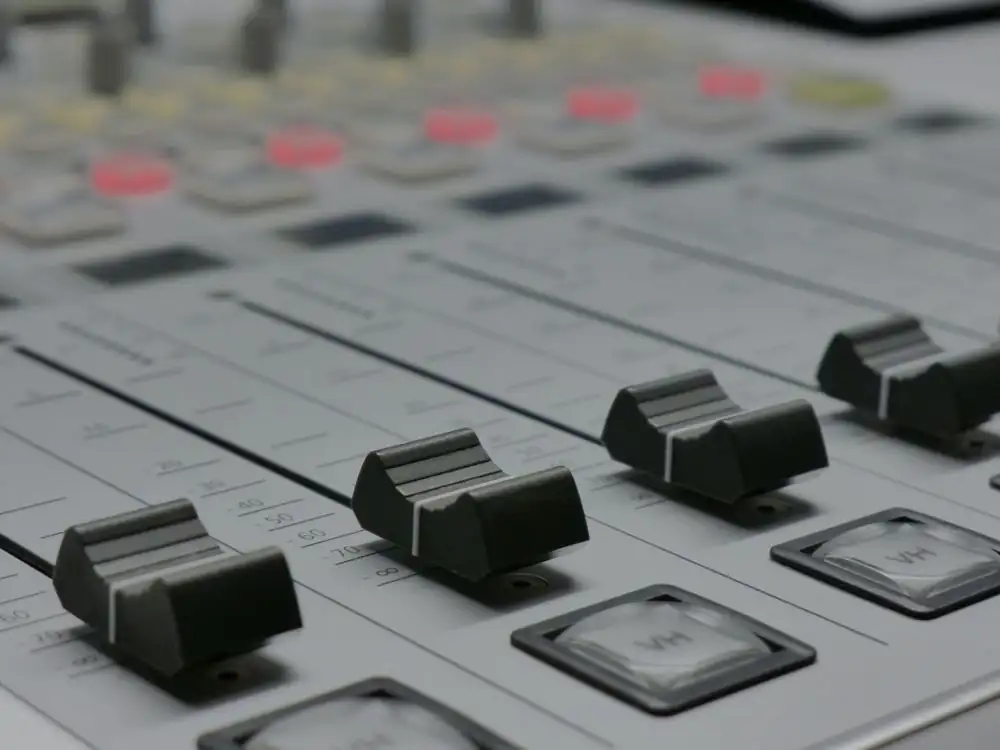
Photograph · source and license
The image, credit, reuse license, editorial context and delivered file are recorded in the exact Sites editorial review. This review is separate from the article’s canonical CIE assessment.
Image and publication standards →At a glance
- Draw where every signal starts and ends.
- Change one part of the path at a time.
- Judge the saved output by listening, then record the successful setup.
In this story
Start with the person who needs to hear
A production team can hear a clear voice in the room while a recording contains very little speech. A singer can hear a monitor while the remote listener hears an unintended source.
These are different listening positions and different outputs. The first job is to state which one the team is trying to improve.
Otherwise, a change that helps the room may be mistaken for a solution to the stream.
This original hypothetical rehearsal is for a small adult church volunteer team using equipment already on hand. It does not describe a named congregation, an available service or a tested equipment package.
The team wants an understandable recording of an original spoken welcome. They begin without songs or borrowed video so the technical practice does not depend on music clearance.
Draw a path with named endpoints
On paper, start with the speaker and microphone. Trace the signal through whatever equipment actually exists: a mixer, interface, computer application and selected recording output.
Draw the room loudspeaker path separately if there is one. Put a question mark wherever nobody knows which cable, setting or channel is involved.
A question mark is useful because it identifies an assumption to test.
Ardour’s routing documentation provides a reference for understanding connections inside a digital audio session. OBS’s mixer guide describes source controls and recommends listening to a test recording before going live.
Use the relevant manual to inspect the actual setup; neither document can tell you how an unidentified local cable has been connected.
Identify sources by function
Give every relevant source a name someone else can recognize. A microphone serving the lectern should have a corresponding label in the notes.
If two devices can capture the same voice, identify both and decide deliberately which path should feed the recording. An unexplained extra source can complicate troubleshooting because the operator may adjust one path while listening to another.
Write down what is intended to be audible during each practice segment. For the welcome, that may be the speaker alone.
During a holding card, the agreed state might be silence. Keep private conversations and personal prayer information out of the rehearsal.
The practice recording should contain only material that participants knowingly contributed for that purpose.
Establish a short baseline
Ask the speaker to read the same original paragraph in the intended position. Make a brief recording before changing anything.
Note the date, source selections, physical controls and software settings that are relevant to the test. Use a simple file name identifying it as the baseline.
Preserve this copy so a later comparison has an actual starting point.
Audacity’s meter documentation distinguishes recording and playback meters. That is a useful reminder that a visible playback response does not by itself show what was captured at the input.
Inspect the intended input, then listen to the recorded result. Do not pick a universal gain number from someone else’s screenshot and assume it fits the team’s speaker, device and room.
Change one cause you can explain
If the speech is unclear, first identify a likely cause supported by observation. Was the wrong device selected?
Was the speaker far from the intended microphone? Did a second audio path remain active?
Make one adjustment and repeat the same paragraph. Record what changed.
A series of simultaneous adjustments may improve the result but leave nobody able to explain why.
If a physical connection must change, follow the equipment’s documentation and ask the responsible operator when the connection is unfamiliar. This exercise does not instruct volunteers to alter electrical installations or bypass protections.
Its scope is understanding and verifying the signal path that the team is authorized to operate. Stop a test that creates disruptive sound and return to a known setup.
Listen as the receiving audience
Open the new recording outside the production application. Listen at a comfortable level using a familiar device, and ask a second reviewer to identify the words in the quietest phrase.
Compare the baseline and changed version without treating a louder playback as automatic improvement. Note intelligibility, interruptions and any unexpected sound.
Do not evaluate only by meter movement.
Test the start, middle and end, and then listen to the complete short exercise. Confirm that both sides of a stereo playback behave as intended for the source.
If a problem appears only in the delivered file, investigate that stage of the path. A successful microphone test at the beginning does not validate the entire recording or upload process.
Keep the reviewer’s observations tied to the file actually heard. A note about an earlier test should not silently become approval of a later export.
If the audio path changes again, make a new short recording and identify the change.
Rehearse the operating moments
Run the welcome, pause and closing sequence with a simple cue sheet. Specify who tells the operator to begin, who can call a pause and what confirms that the output is correct.
Practice a harmless interruption, such as a missing card, and use the agreed recovery action. Keep the drill private and label it clearly.
Then have another volunteer operate from the map and cue sheet. Observe where they need an explanation.
If the setup depends on the original operator remembering an undocumented setting, add it to the notes. If a step is difficult to perform while also following the speaker, simplify the sequence or assign the action to someone else.
Leave a maintainable setup
Save the successful test, source map and dated settings note in a project folder the responsible team can access. Name the person who maintains it and set a review before the next real use.
Mark assumptions and unresolved problems plainly. The map should describe the equipment that is present, not a dream purchase list.
Any later replacement creates a reason to rehearse again.
An actual public program also needs decisions about performer permission, media rights and accessibility, including captions or transcripts appropriate to its content. The sound map does not settle those questions.
Its concrete result is a setup whose path can be explained, whose output has been heard and whose operation another volunteer can repeat. That is a useful basis for deciding whether anything else is needed.
Sources & verification
Routing documentation as a reference for a tested local signal map. Checked October 3, 2026.
Read the sourceAudio meters, source controls and listening back to a test recording. Checked October 3, 2026.
Read the sourceRecording and playback meters; no universal target level asserted. Checked October 3, 2026.
Read the sourceThis article was written with AI assistance from the linked sources. No firsthand interview or visit is implied. Source dates and limits are identified in the reporting. Advertising does not determine editorial coverage. Request a correction or read our standards.
EVERY NEIGHBOR HAS A VOICE
Keep the conversation going.
Share experiences, ask questions and link evidence for factual claims. Automated publication checks apply to each submitted version. Comments are independent community discussion, not submissions to a government body.
Sign in to join · freeCommunity standards